



WireGuard Easy
docker pull weejewel/wg-easy
You have found the easiest way to install & manage WireGuard on any Linux host!
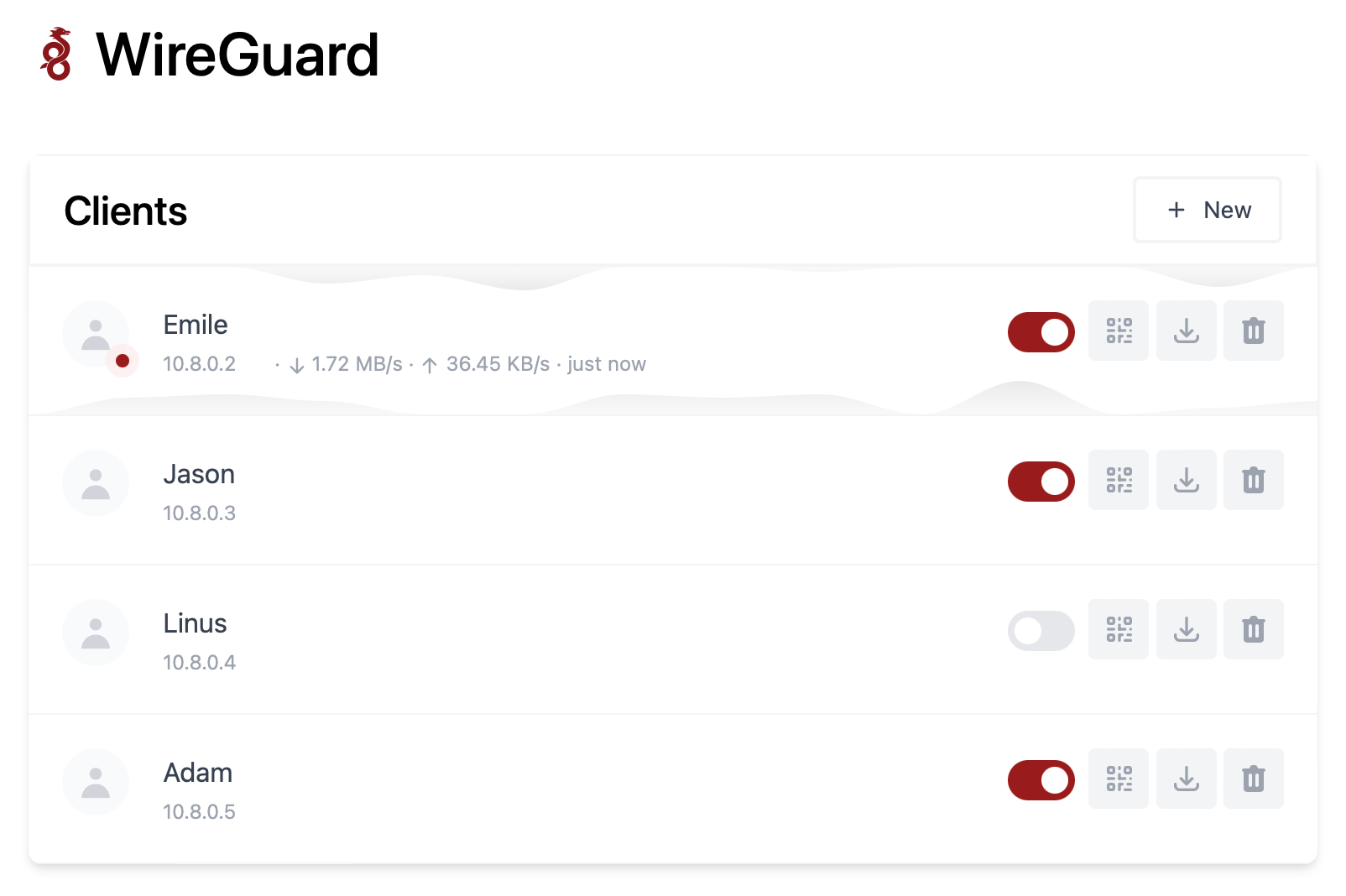
Features
All-in-one: WireGuard + Web UI.
Easy installation, simple to use.
List, create, edit, delete, enable & disable clients.
Show a client's QR code.
Download a client's configuration file.
Statistics for which clients are connected.
Tx/Rx charts for each connected client.
Gravatar support.
Requirements
A host with a kernel that supports WireGuard (all modern kernels).
A host with Docker installed.
Installation
1. Install Docker
If you haven't installed Docker yet, install it by running:
$ curl -sSL https://get.docker.com | sh
$ sudo usermod -aG docker $(whoami)
$ exit
And log in again.
2. Run WireGuard Easy
To automatically install & run wg-easy, simply run:
$ docker run -d \
  --name=wg-easy \
  -e WG_HOST=🚨YOUR_SERVER_IP \
  -e PASSWORD=🚨YOUR_ADMIN_PASSWORD \
  -v ~/.wg-easy:/etc/wireguard \
  -p 5820:51820/udp \
  -p 5821:51821/tcp \
  --cap-add=NET_ADMIN \
  --cap-add=SYS_MODULE \
  --sysctl="net.ipv4.conf.all.src_valid_mark=1" \
  --sysctl="net.ipv4.ip_forward=1" \
  --restart unless-stopped \
  weejewel/wg-easy
💡 Replace
YOUR_SERVER_IPwith your WAN IP, or a Dynamic DNS hostname.💡 Replace
YOUR_ADMIN_PASSWORDwith a password to log in on the Web UI.
The Web UI will now be available on http://0.0.0.0:51821.
💡 Your configuration files will be saved in
~/.wg-easy
docker run -d \
  --name=wg-easy \
  -e WG_HOST=8.217.34.64 \
  -e PASSWORD=jojo202 \
  -v ~/.wg-easy:/etc/wireguard \
  -p 5820:51820/udp \
  -p 5821:51821/tcp \
  --cap-add=NET_ADMIN \
  --cap-add=SYS_MODULE \
  --sysctl="net.ipv4.conf.all.src_valid_mark=1" \
  --sysctl="net.ipv4.ip_forward=1" \
  --restart unless-stopped \
  weejewel/wg-easy
3. Sponsor
Are you enjoying this project? Buy me a beer! 🍻
Options
These options can be configured by setting environment variables using -e KEY="VALUE" in the docker run command.
Env | Default | Example | Description |
|---|---|---|---|
PASSWORD | - | foobar123 | When set, requires a password when logging in to the Web UI. |
WG_HOST | - | vpn.myserver.com | The public hostname of your VPN server. |
WG_DEVICE | eth0 | ens6f0 | Ethernet device the wireguard traffic should be forwarded through. |
WG_PORT | 51820 | 12345 | The public UDP port of your VPN server. WireGuard will always listen on |
WG_MTU | null | 1420 | The MTU the clients will use. Server uses default WG MTU. |
WG_PERSISTENT_KEEPALIVE | 0 | 25 | Value in seconds to keep the "connection" open. If this value is 0, then connections won't be kept alive. |
WG_DEFAULT_ADDRESS | 10.8.0.x | 10.6.0.x | Clients IP address range. |
WG_DEFAULT_DNS | 1.1.1.1 | 8.8.8.8, 8.8.4.4 | DNS server clients will use. |
WG_ALLOWED_IPS | 0.0.0.0/0, ::/0 | 192.168.15.0/24, 10.0.1.0/24 | Allowed IPs clients will use. |
WG_PRE_UP | ... | - | See config.js for the default value. |
WG_POST_UP | ... | iptables ... | See config.js for the default value. |
WG_PRE_DOWN | ... | - | See config.js for the default value. |
WG_POST_DOWN | ... | iptables ... | See config.js for the default value. |
If you change
WG_PORT, make sure to also change the exposed port.
Updating
To update to the latest version, simply run:
docker stop wg-easy
docker rm wg-easy
docker pull weejewel/wg-easy
And then run the docker run -d \ ... command above again.
评论区